
Personalizing your BOOKOO devices ensures a seamless and tailored brewing experience. Follow these steps to fine-tune your device settings to match your brewing style.
Steps to Customize Your Devices:
1. Access Device Customization
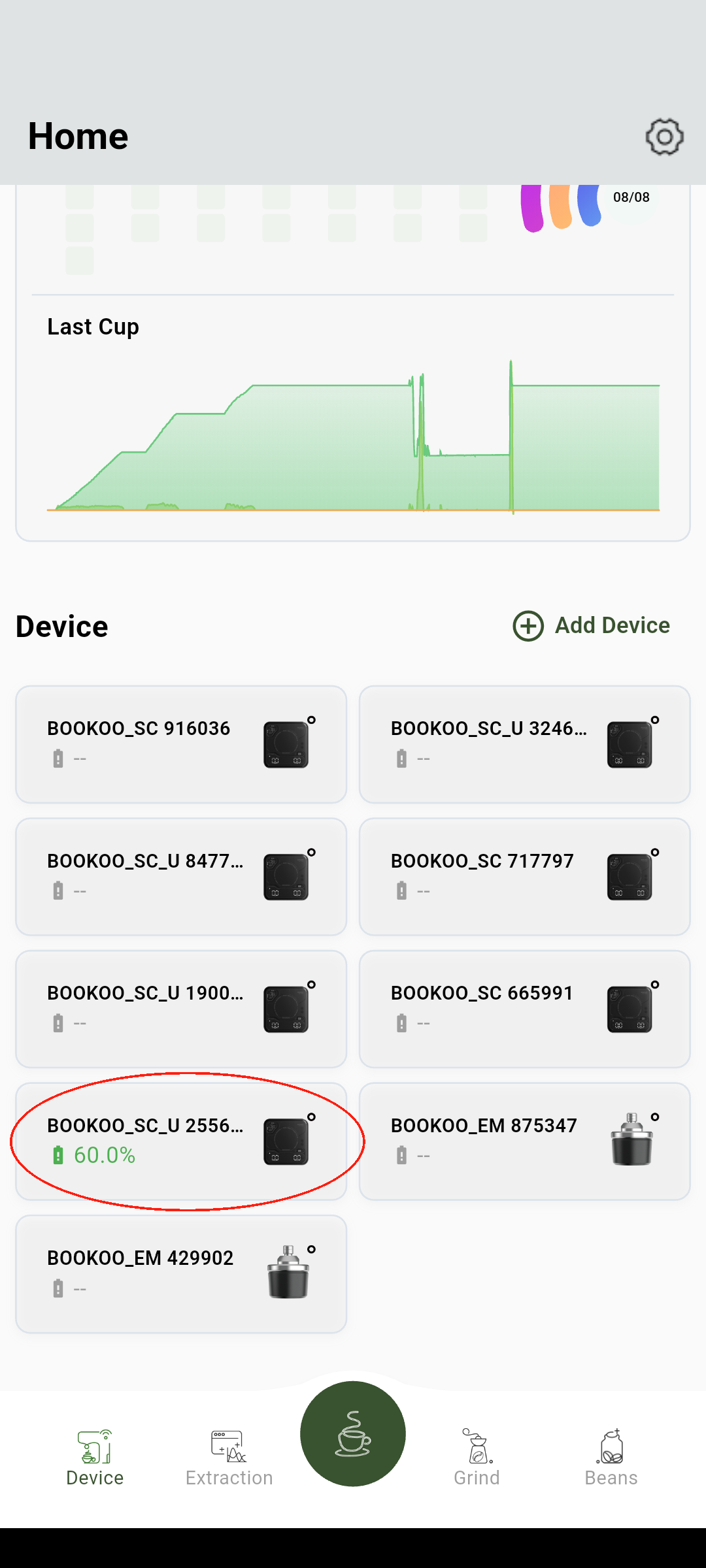
From the home page, tap on the device you wish to customize and enter the device customization settings page.
2. Customize Key Settings
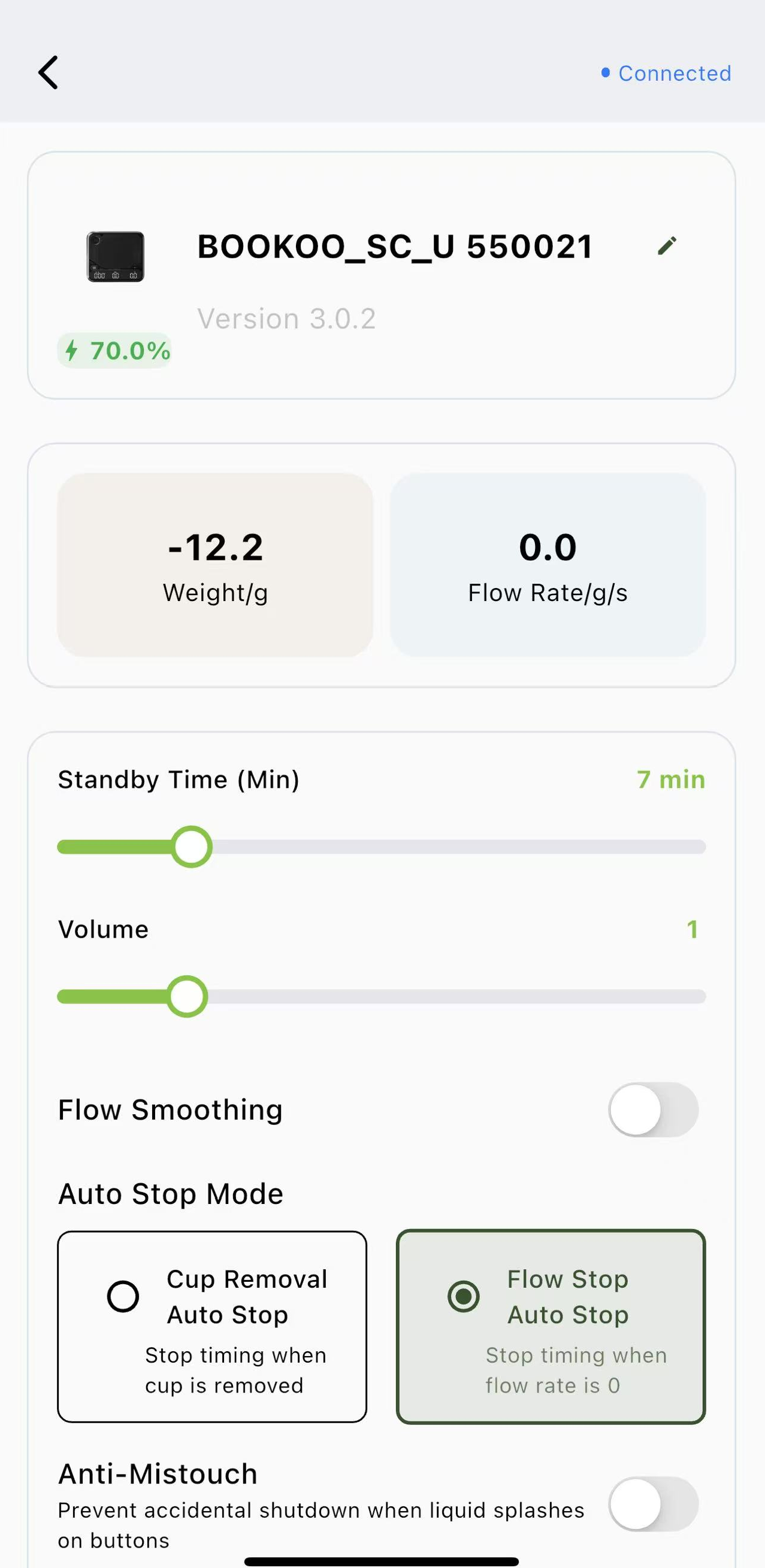
Device Naming: Assign a unique name to each device for easy identification.
Battery Status: Monitor the battery level directly from the app.
Scale Volume: Adjust the volume of your coffee scale for audible feedback.
Standby Time: Set how long before your device enters standby mode.
Display Settings: Select which modes to display on the scale so only the functions you need are shown.
Auto-Stop Mode: Set how the scale auto-pauses—by detecting zero flow or when the cup is lifted.
Anti-Mistouch: Prevent accidental touches caused by liquid splashes from interrupting or shutting down the scale.
OTA Updates: Keep your devices up-to-date with over-the-air firmware updates.
By following these steps, you can ensure your devices are perfectly aligned with your brewing routine.