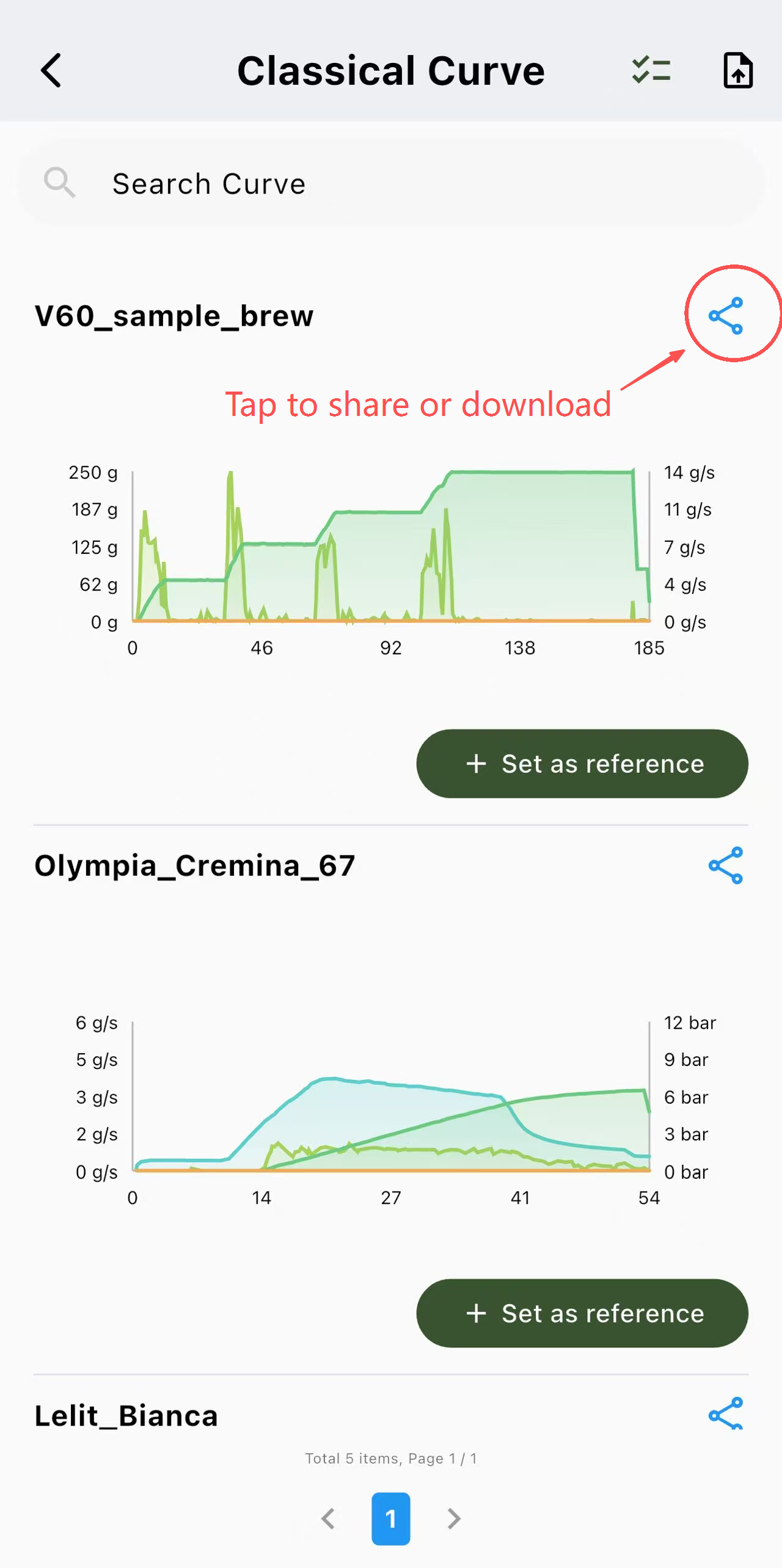
Follow these steps to export or share your brewing records using the BOOKOO N App.
Step-by-Step Instructions
Access Records: Homepage > [Brew] > [History Curve]
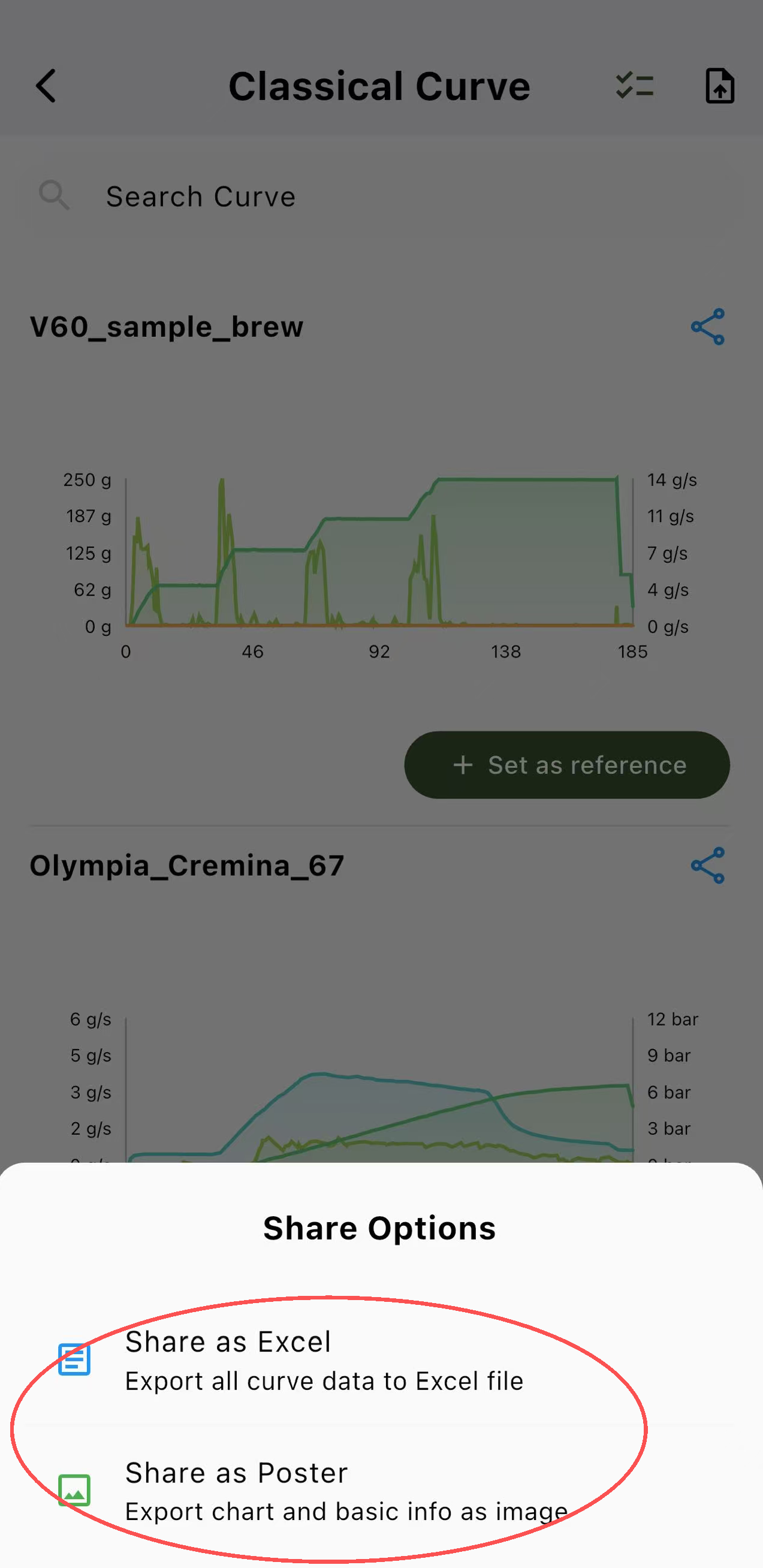
Open Share Menu: Tap the Share Icon to open the [Share Options] popup.
Choose Format: Select Visual Poster (for social media) or Excel File (for data analysis).
Save or Send: Tap to save the file locally or share it directly to your preferred platform.