
Connecting your BOOKOO device to the BOOKOO N app is the first step to unlocking smart tracking and brew insights. With a stable Bluetooth connection, you’ll be able to monitor, record, and personalize every extraction effortlessly.
Here’s a detailed guide to connecting your BOOKOO product via Bluetooth.
Step 1: Enable Bluetooth
Turn on Bluetooth on your smartphone.

Step 2: Open BOOKOO N
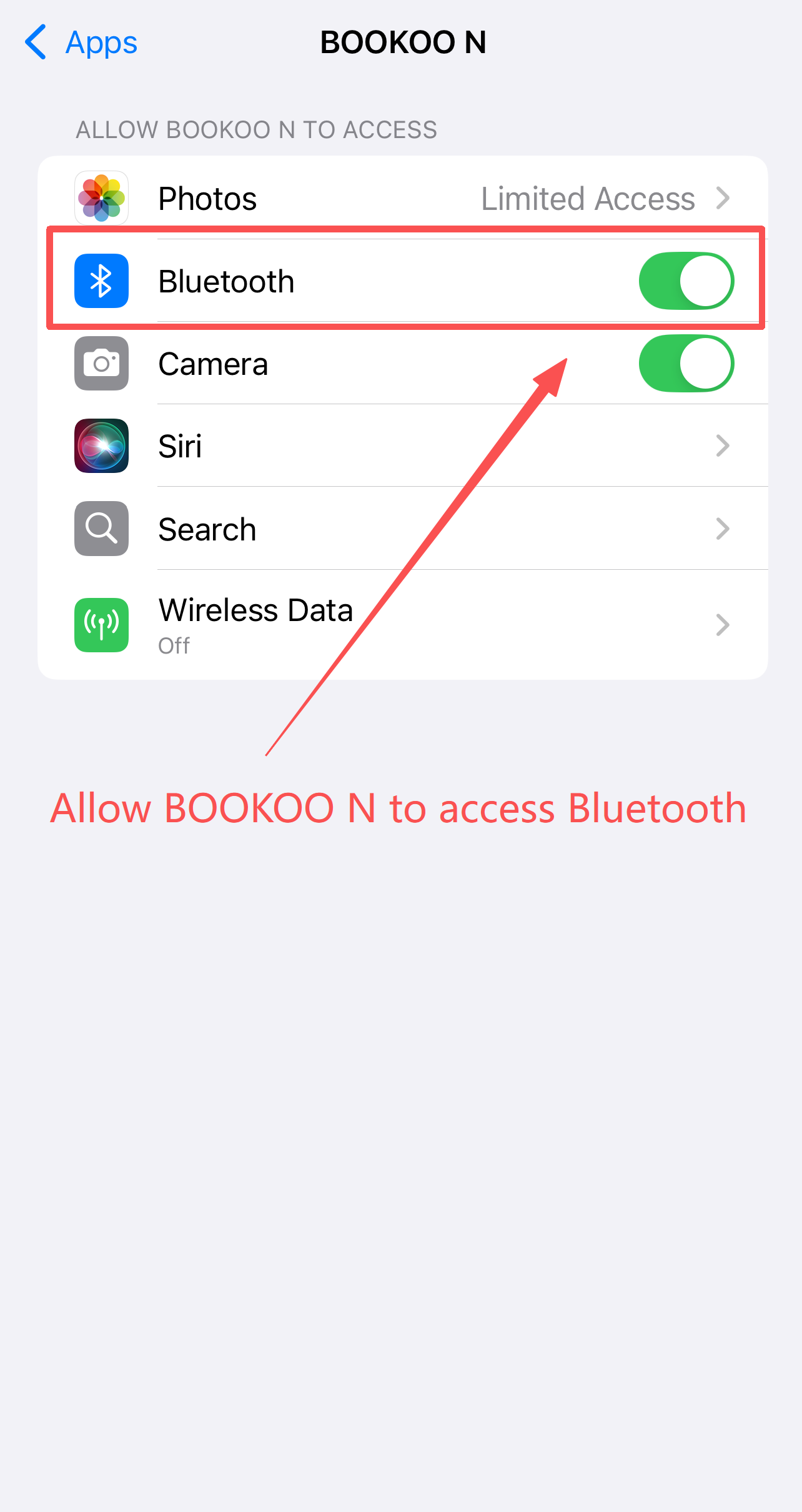
Launch the BOOKOO N app and ensure it has permission to access Bluetooth.
Step 3: Confirm device is powered on
Make sure your BOOKOO device is turned on before connecting; otherwise, it won’t appear in the scan list.
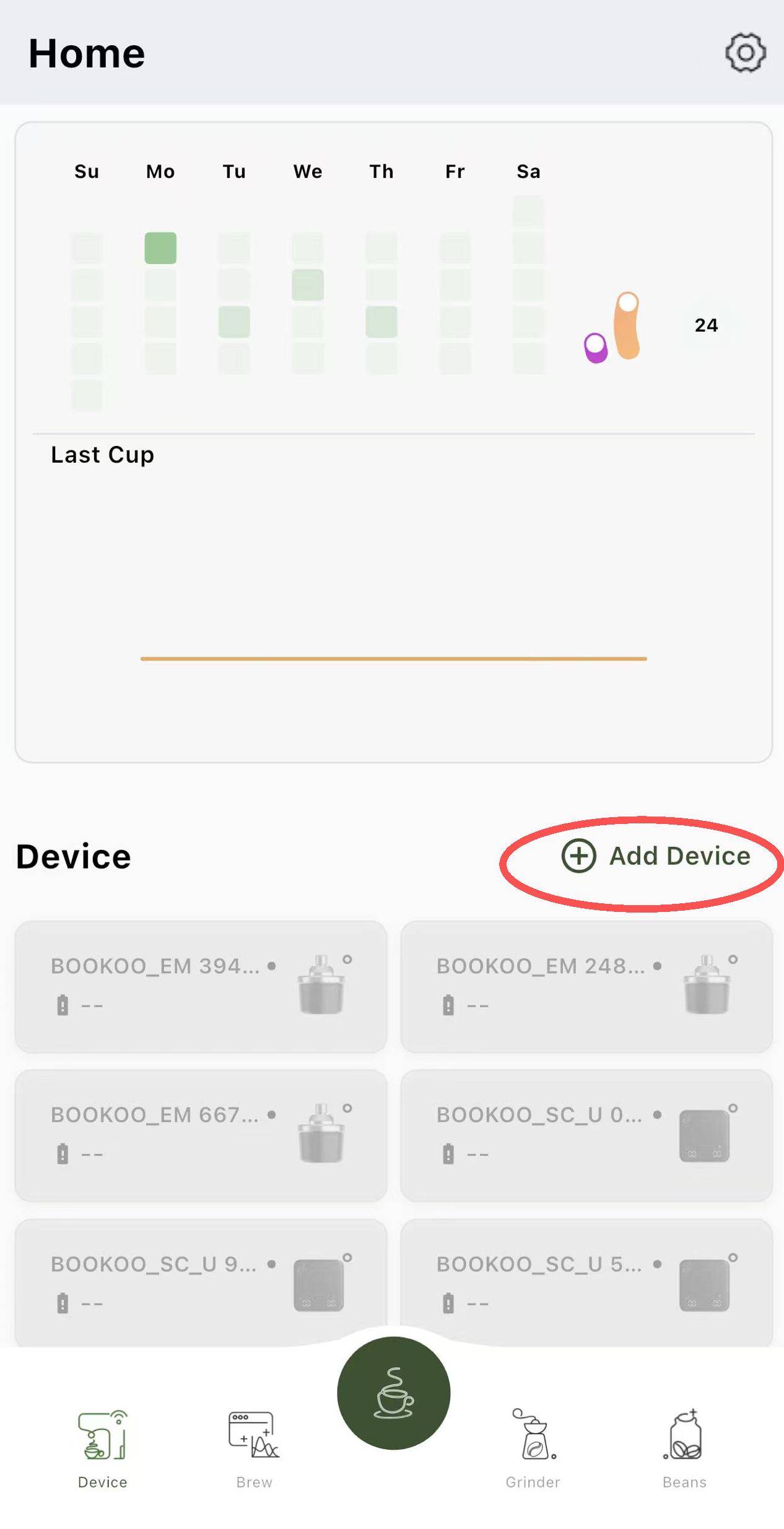
Step 4: Add a new device
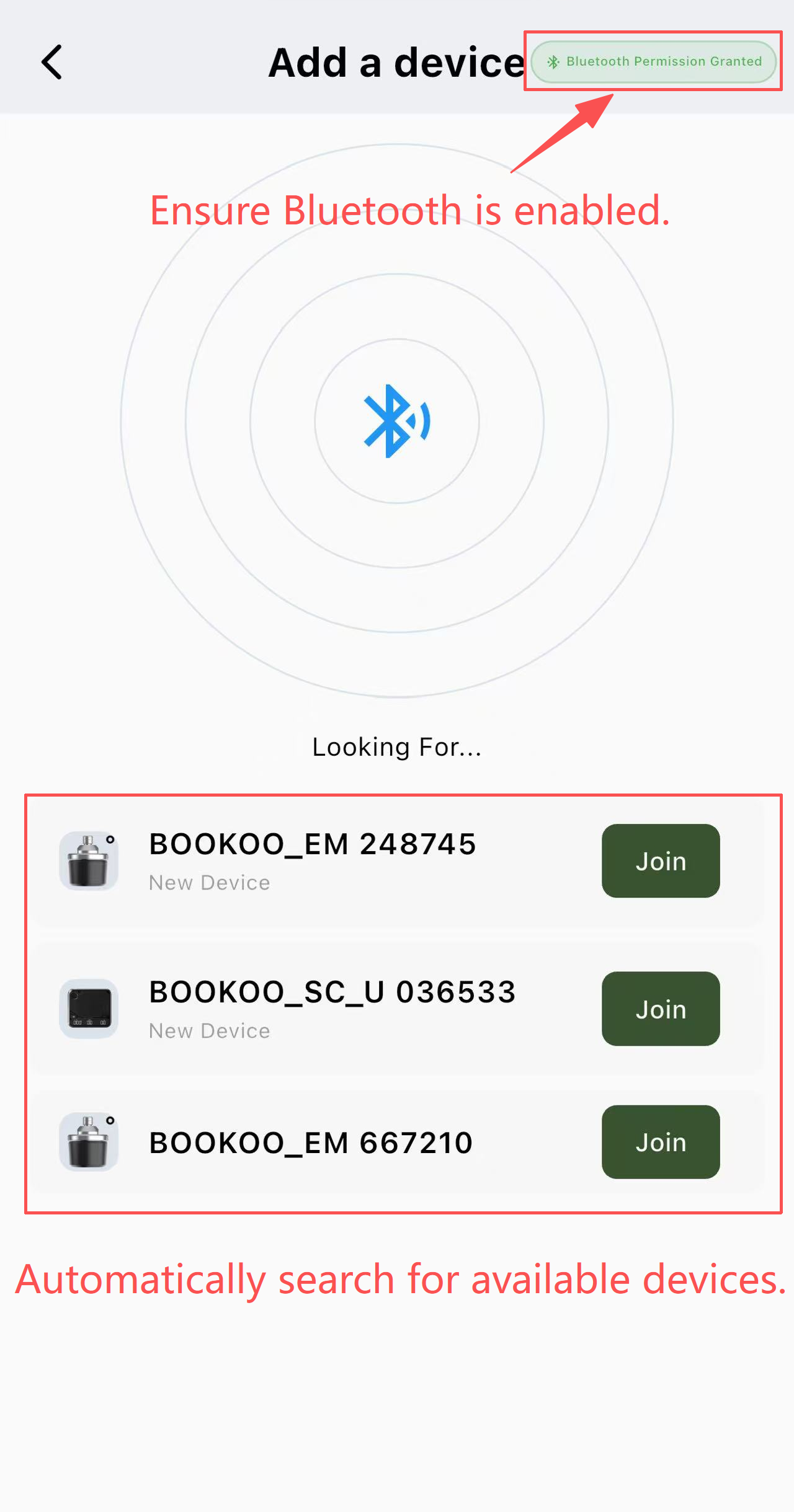
The app will automatically scan for nearby BOOKOO devices. Select your device from the list.
Step 5: Complete pairing
Tap on the device to pair. A successful connection will display the device status on the app.
Once paired, your device is ready to go—explore the app and start tracking your brews with precision and ease.