
You can easily check the battery level of your Themis Mini or Ultra Scale using two methods:
1. Directly on the Scale
Long-press the left button to turn off the scale.
The screen will briefly display the current battery level before powering down.
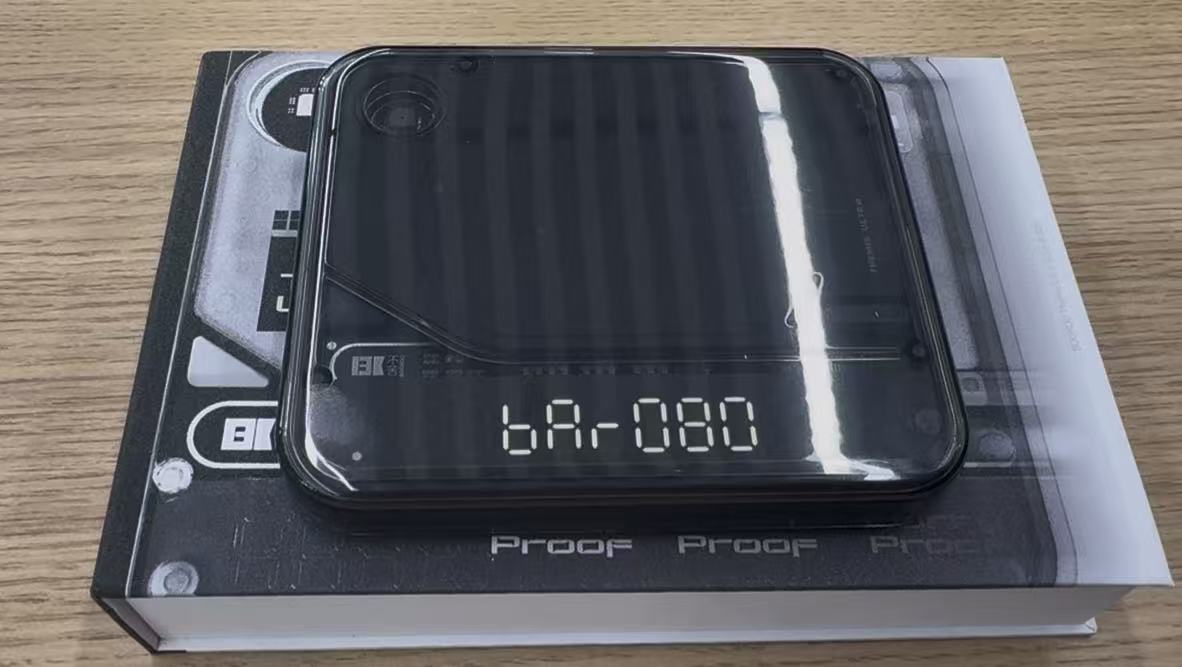
Battery level briefly appears
2. Using the BOOKOO N App
Open the BOOKOO N App on your smartphone. If you are currently using the legacy BOOKOO app, please download and install the new BOOKOO N app by following the instructions below.
How Do I Download and Install the BOOKOO N App? Navigate to your device list on the home screen or go to the scale’s detail page.
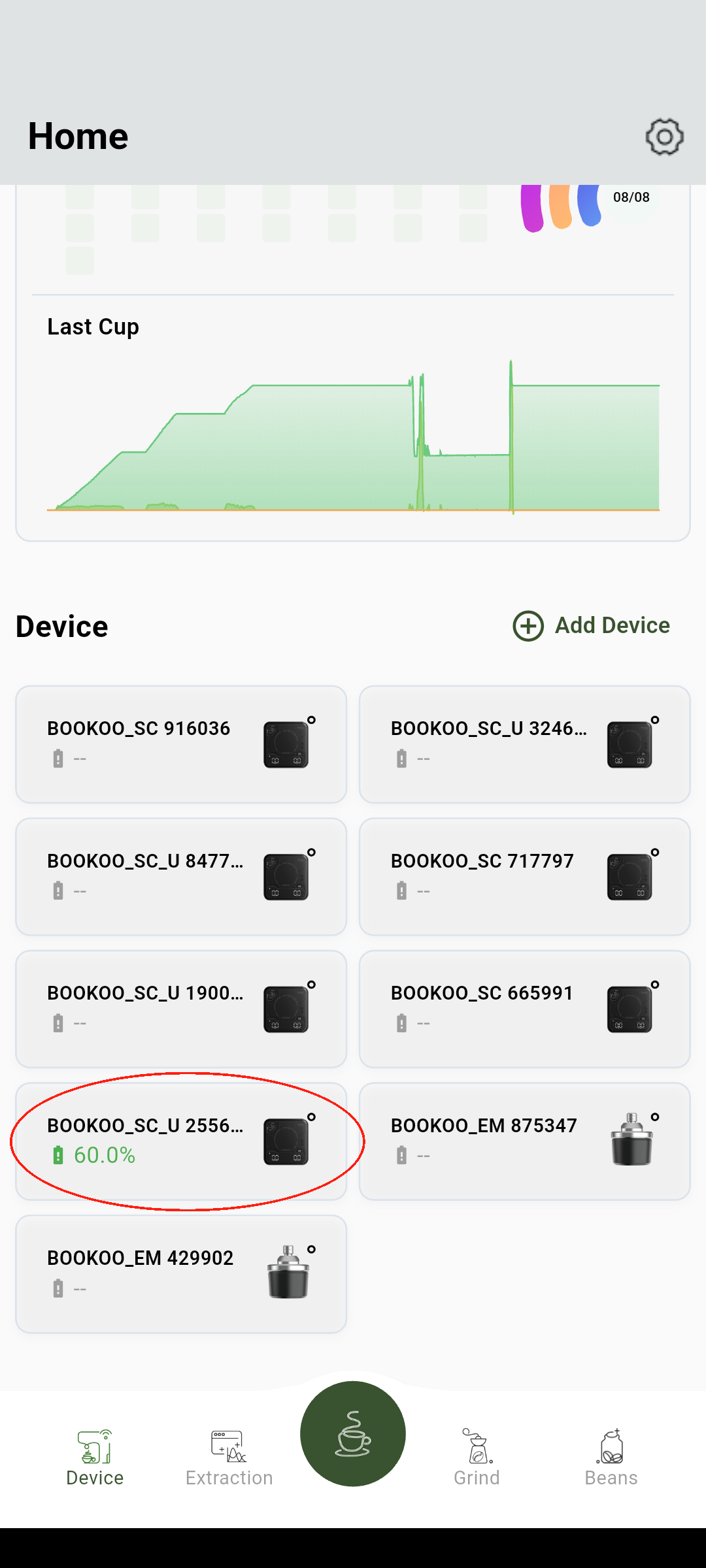
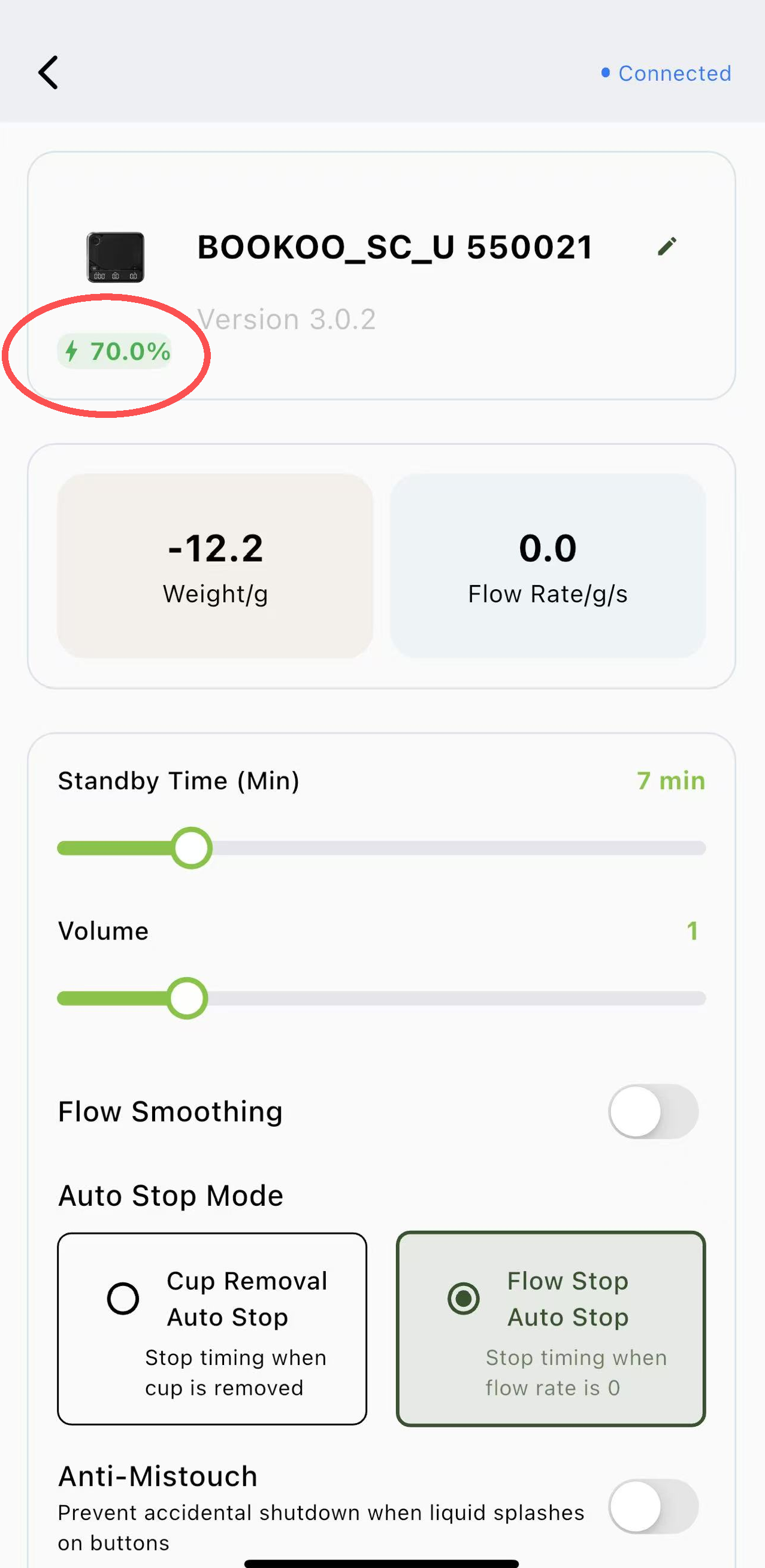
The app will show the remaining battery percentage for your scale.
Tip: Checking the battery in the app is convenient if your scale is already paired via Bluetooth.