
BOOKOO N makes it easy to turn your brew data into something shareable.
Whether you want to save a visual record for yourself or share your extraction with others, the app allows you to export brews as clear images or posters—combining curves, key data, and visuals in one place.
This is especially useful for:
Reviewing brews outside the app
Sharing results with friends or fellow brewers
Posting brews to communities or social platforms
Steps to Share a Brew in BOOKOO N
1. Open a Saved Brew
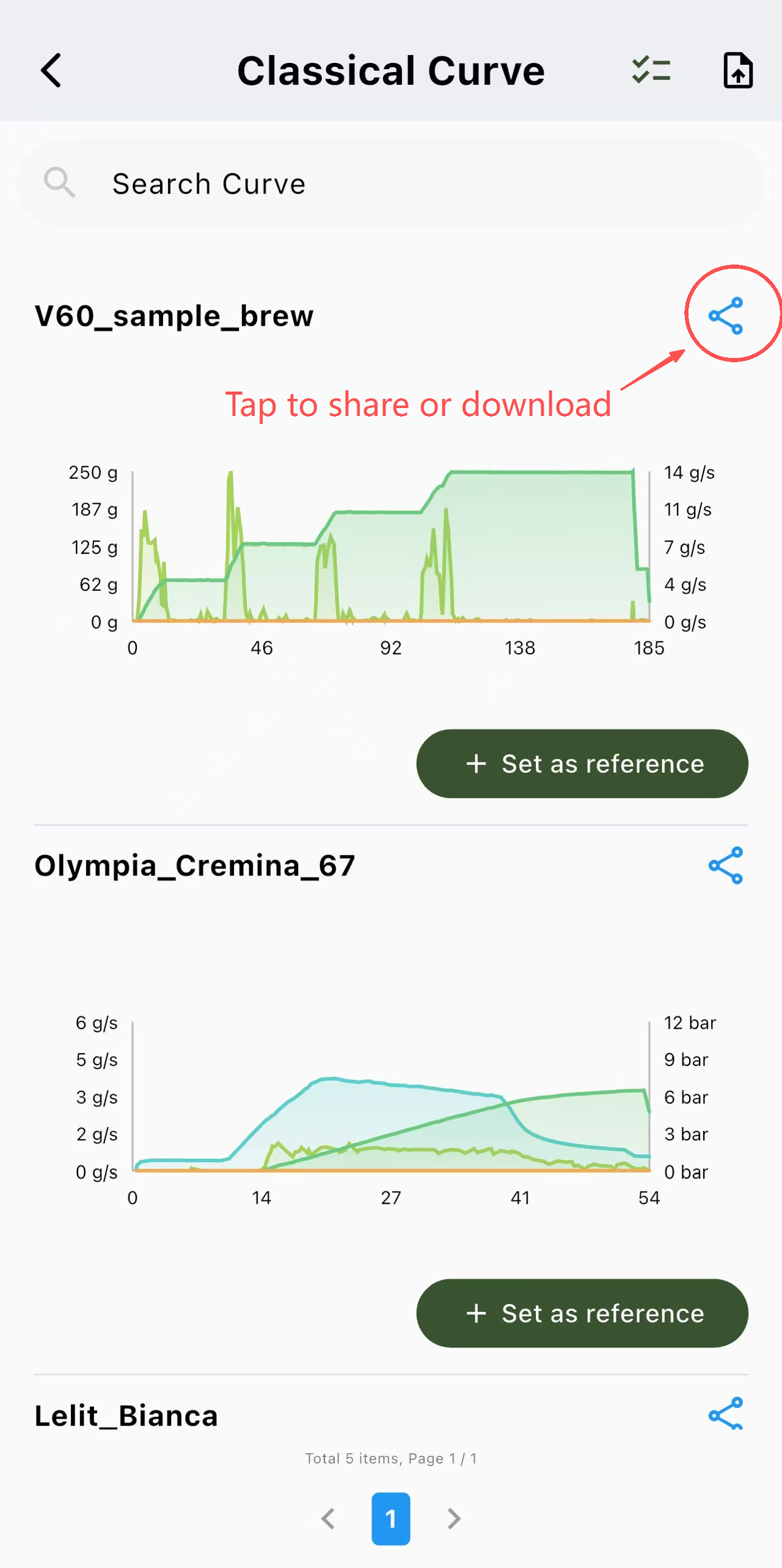
From the Brew Curve, tap any existing brew record you’d like to share.
2. Tap the Share Option
Inside the brew detail view, tap the Share icon.
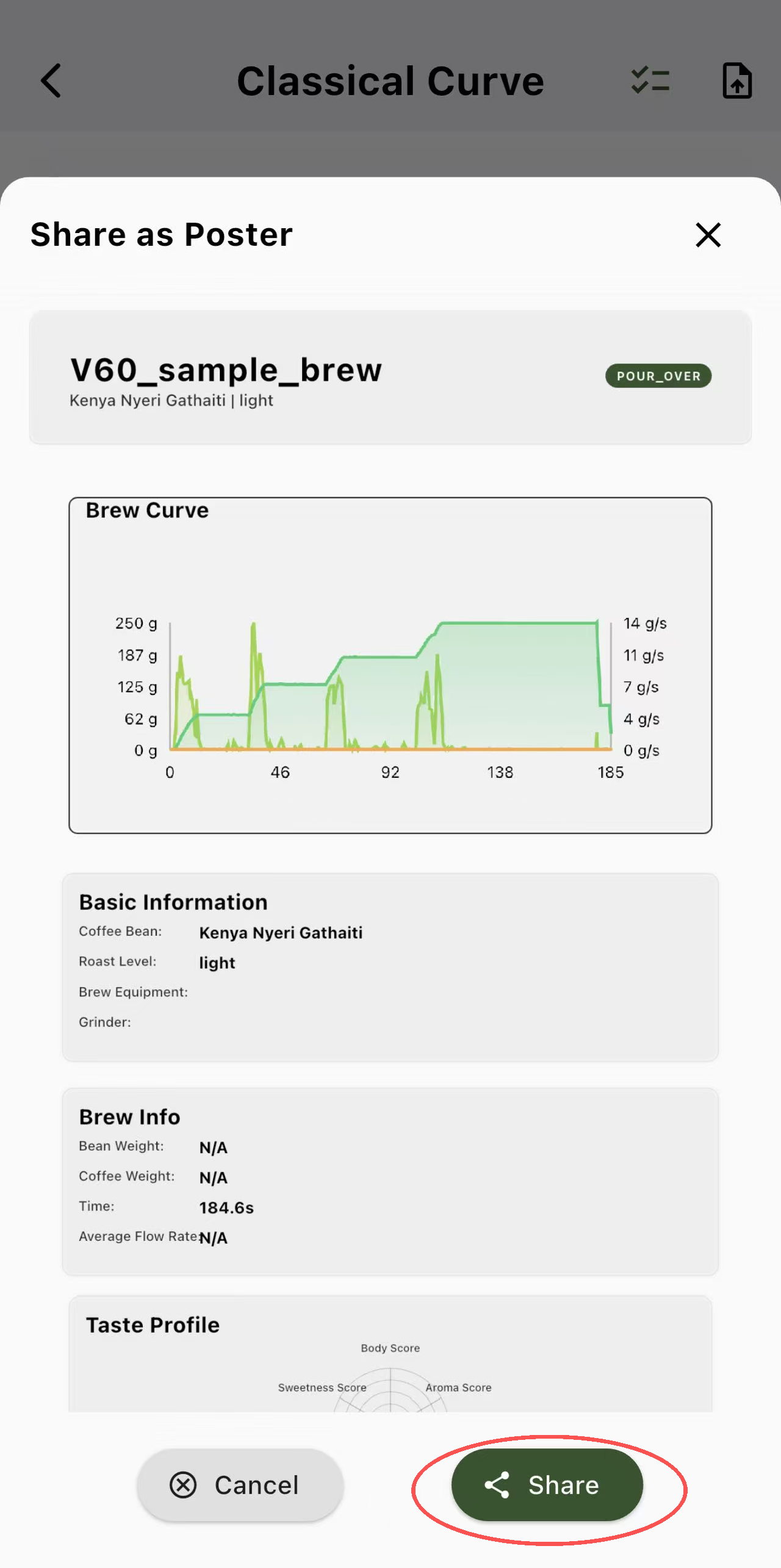
The app will automatically generate a visual layout that includes:
Your brew curve
Key extraction data (depending on brew mode)
Time, ratio, and other recorded metrics
3. Choose a Share Format
You can generate:
Brew Excel – An Excel file of your curve and data
Brew Poster – A more complete layout designed for sharing or saving
Both formats are optimized for clarity and readability.

4. Save or Share
Once generated, you can:
Save the image/poster to your device
Share it directly through social platforms
Helpful Tips
Shared images reflect your current chart display settings (colors, line width, size).
If you want a cleaner or more readable look, adjust Chart Settings before sharing.
Your original brew data remains unchanged—sharing only creates a visual copy.